Labelling AI-Generated Imagery in Storefronts and Portfolios
A practical disclosure policy for AI-generated imagery in ecommerce stores, marketplace listings and design portfolios: what to label, where, and in what words.
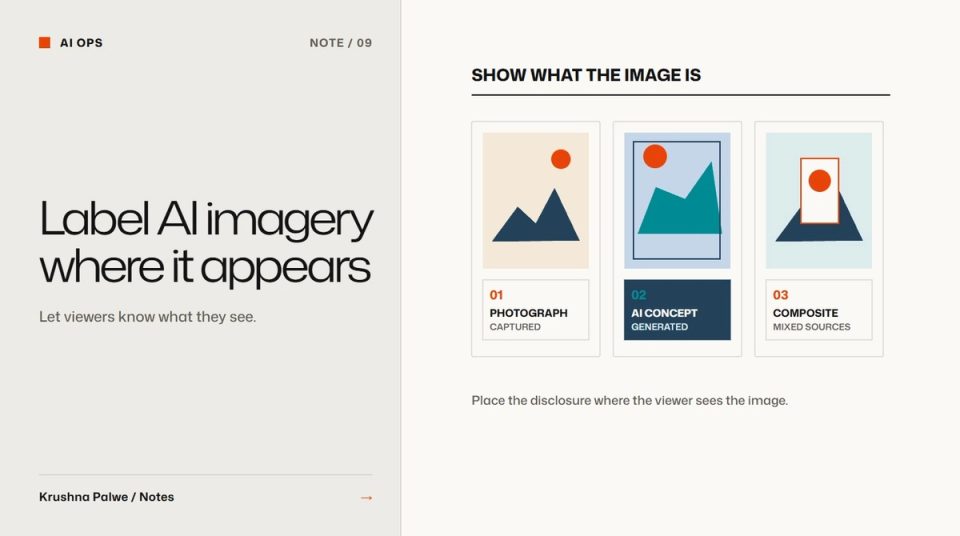
AI image generation has made it easy to show products that have not been photographed, scenes that were never staged and mockups that look like finished production. That is useful for concepting and sometimes for production. It also creates a quiet risk: shoppers, clients and recruiters assume an image shows something real. AI-generated imagery disclosure is how you keep the benefit without misleading anyone.
I have worked with AI imagery in three different settings: a fashion storefront showing concept products before a shoot, a marketplace listing system with AI-generated lifestyle scenes, and my own portfolio. Each needed a slightly different approach to labelling, but the same principle: say what the image is, where the viewer is looking.
Decide what counts as AI-generated
Write a working definition before writing labels. A useful split:
- Generated: the image was created by a model from a prompt, with no photograph of the actual product as its base.
- Composited: a real product photograph or real artwork placed into a generated scene.
- Edited: a real photograph retouched with AI tools, such as background removal or cleanup.
- Mockup: real artwork placed onto a rendered or photographed object to show how it might look.
Each category implies something different about how accurate the image is. A composited scene still shows the real product. A generated product image may not match the final garment at all.
Storefronts: label at the product
BLANKSY's storefront currently uses concept product imagery while the next commissioned shoot is pending. The labelling sits close to the images rather than in a footer policy:
- Product names include "(Concept)".
- Each description states that the images are AI-generated concept views and that the final garment may differ.
- Specifications that are not confirmed are stated as awaiting confirmation, not filled in.
- Sample reviews are labelled as samples, not presented as customer feedback.
- Products carry tags that mark them as concept items with AI-generated images, so the theme can treat them consistently.
This is less polished than a catalog full of perfect photographs, but it is honest, and the case study says the same thing: those elements demonstrate the design experience and are not customer evidence or sales results.
The rule for stores: label at the point of decision. A shopper choosing a size should not have to find a policy page to learn the image is not the real product. Accessible premium ecommerce treats this kind of honesty as part of the experience.
Marketplace listings: art-direct, composite and record
For Collect Present, a costume-hat brand on Amazon US, lifestyle scenes were produced with AI image generation, then art-directed and composited to a seven-slot listing system. The case study carries a production note saying exactly that.
Practical rules for listings:
- Keep the main product image a real product photograph, on the background the marketplace requires.
- Use generated scenes for context, such as occasion or styling, not to show product details.
- Never let a generated image change the product's colour, size, material or features.
- Check each marketplace's current rules on AI imagery before uploading. They change.
- Keep a manifest of every source image. Collect Present's production included a manifest of every source image and an ASIN-based folder structure, which makes it possible to show what each final image was made from.
Portfolios: label the work, not just the method
Recruiters and clients use a portfolio to judge what you actually made. Two rules keep that judgement fair:
- Show the original beside every mockup. In my packaging case studies, print artwork sits next to each presentation mockup, and each is labelled. The artwork is the reference for exact copy and dimensions.
- Never use a model to redraw real work. Image models get packaging text and fine details wrong. When I need a presentation scene, I composite the real artwork into it rather than generating a lookalike.
When AI was part of the production, say how. For BLANKSY I describe directing the implementation using AI-assisted development workflows, while defining the design system and reviewing the live build. That framing is accurate: the design decisions were mine, and AI was the implementation tool. How to structure a design portfolio case study covers role statements more generally.
Write labels in plain words
Labels work when they are short and specific:
- "AI-generated concept image. Final product may differ."
- "Lifestyle scene created with AI; product photographed."
- "Presentation mockup. Print artwork shown alongside."
- "Sample review for demonstration."
Avoid vague phrases such as "digitally enhanced", which hide more than they say.
Review labels like any other content
Labelling is part of quality assurance. Before publishing, check that every generated or composited image has the right label, that labels match the actual production method, and that nothing generated is presented as evidence. The broader review process is in the AI design output QA checklist, and the research side in AI for design research.
You can see the labelled concept storefront in the BLANKSY case study and the AI production note in Collect Present.